Everything in a report, and what comes next
uraudience is one tool with a few parts. Most of them work today, inside the report the finder builds for you. The rest are planned, and each one says so where it appears.
01The audience finder
Four named steps: your business, what you already know, your goal, and a review. You write in plain sentences, and a refresh never wipes your answers.
- Skip the second step and you still get a complete report
- Each field checks itself when you leave it, and again when you continue
- The progress screen names each stage of the work as it runs
02Audiences, described as people
Three to five named audiences. Each has an age range, income band, life stage, and household, but the point is the person: what they want, what frustrates them, what makes them buy, and what stops them.
- A suggested answer to each objection
- Kinds of brands, content, and interests they already like
- A share of the opportunity, shown as a range with a confidence mark
Renaming, merging, and dismissing audiences by hand comes later.
03Where they spend their time
For each audience: platforms ranked by how much they use them, the days and hours they are easiest to reach, and offline places worth your time.
- Rankings, never just lists
- A reachability grid by day and time that reads without color
- A sketch of your service area when you serve a local area
04A reach plan for your goal
Channels ranked for the goal you chose, each with a note on effort and expected return. Message angles and formats for each audience, a budget split across channels, and your first ten actions, in order.
- Each action is small enough to finish in one sitting
- The budget split follows the budget range you gave
- A chart that places every channel by effort and return
05What your goal changed
Every report is compared with a version built with no goal at all. A panel near the top lists what moved: channels that rose or fell, money that shifted, and actions that exist because of your goal.
- Found by comparing two reports, not written by hand
- The same answers always give the same report
06Content that serves more than one group
Where two audiences share channels, the report names pieces of content that can serve both, the technique that makes each one work, and what changes between the version for your main audience and the version for the next.
- A specific technique for each piece
- The difference between the two versions, spelled out
07Brand recognition kit
Slogans to try, each with a note on why it works and which audience it lands with. A check that your name and tagline match across the accounts you listed, logo guidance for each social format, and a schedule for how often your name, logo, and line should appear over a quarter.
- Minimum sizes, placement, safe area, and contrast checks
- A before and after of one asset used consistently
08Content planner
Platform by platform, never one post copied everywhere: format specs, the tone that works there, post ideas tied to a named audience, and a hook line for each. A calendar shows what goes out where, and when.
- Aspect ratios, lengths, and character limits for each platform
- Every idea names the audience it is for
09Ad timing and placement
A recommended launch window with its reasons, weekly and seasonal timing for your kind of business, placement recommendations, and a pacing plan: a small test first, then a named checkpoint before you spend more.
- A pre-launch checklist to clear before you spend anything
- A pacing plan with a checkpoint you can put in a calendar
10Keeping and winning back customers
A plan for keeping the customers you have, kept separate from the plan for winning new ones. A win-back sequence for customers who stopped buying, and a schedule for loyalty prompts.
- Written for your goal and your kind of business
- Each step says which channel it runs in
11Tactics, pointed at tools you already use
A checklist of your report’s recommended tactics, each with a status, an owner, and a due date you save, and a CSV of the list. Each tactic names the app it runs in, such as Google Business Profile, Mailchimp, or Canva. When your goal is keeping or winning back customers, the list links to customer-list templates for Google Ads, Meta, and TikTok.
- Part of the full report, with an active trial
- Eleven apps are named on the integrations page; connecting to them is not built yet
Showing exactly what each tactic would create in its app, before anything is connected, comes later.
12The audience builder
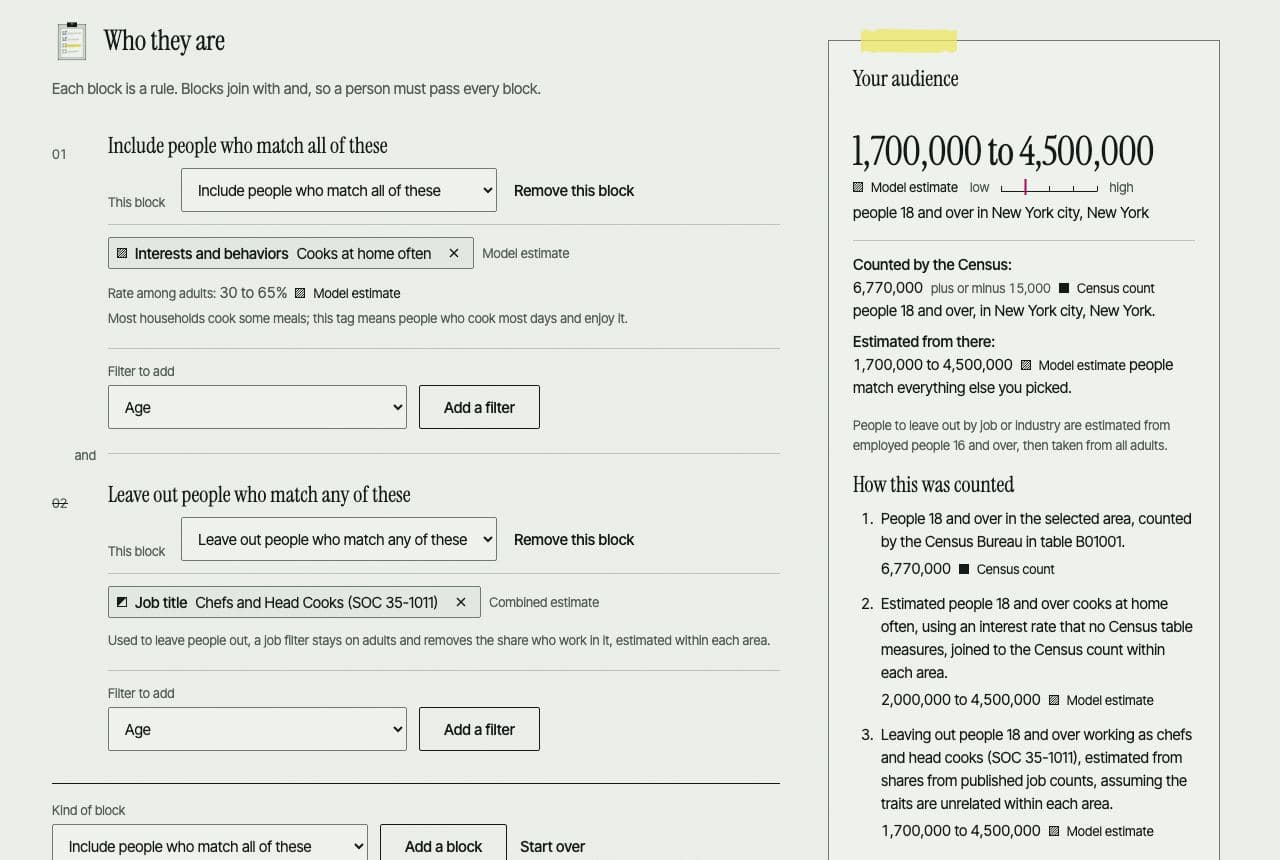
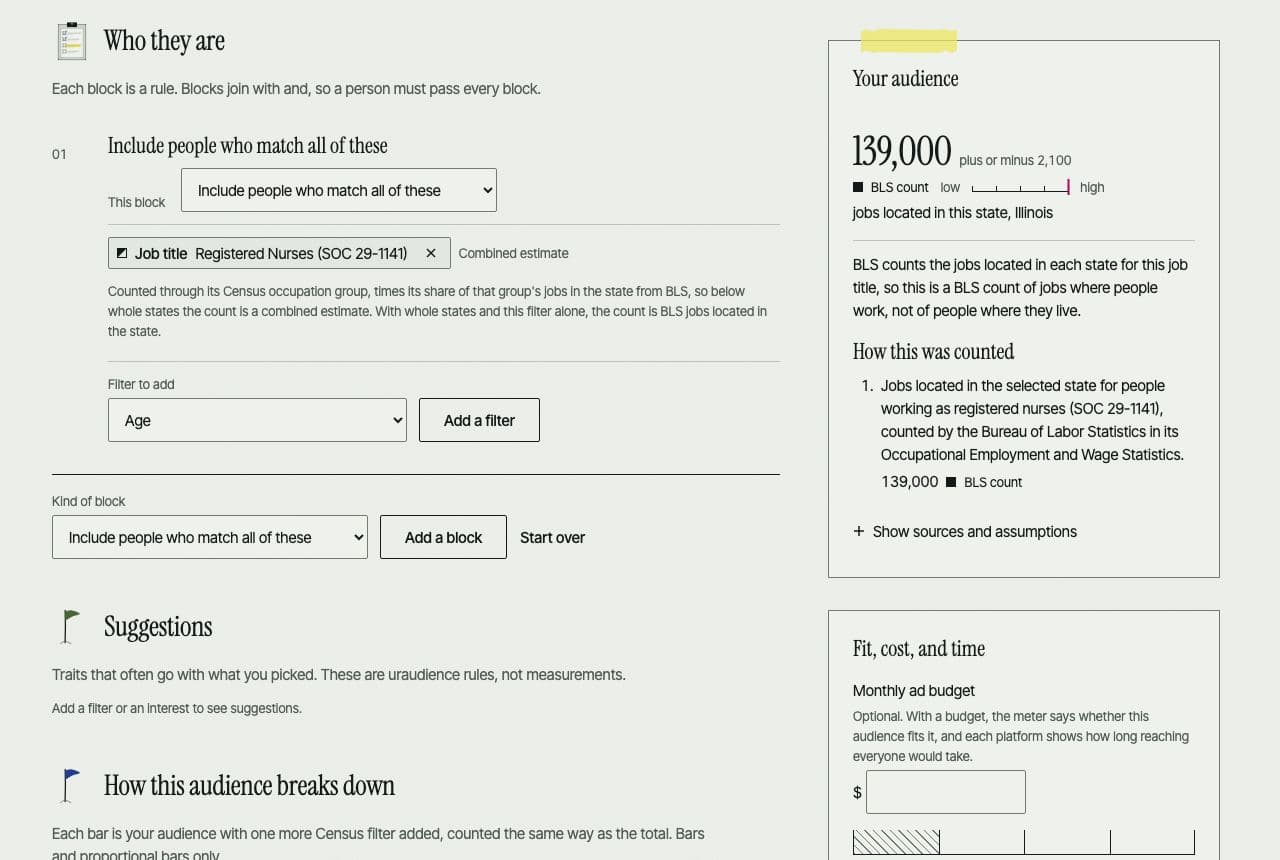
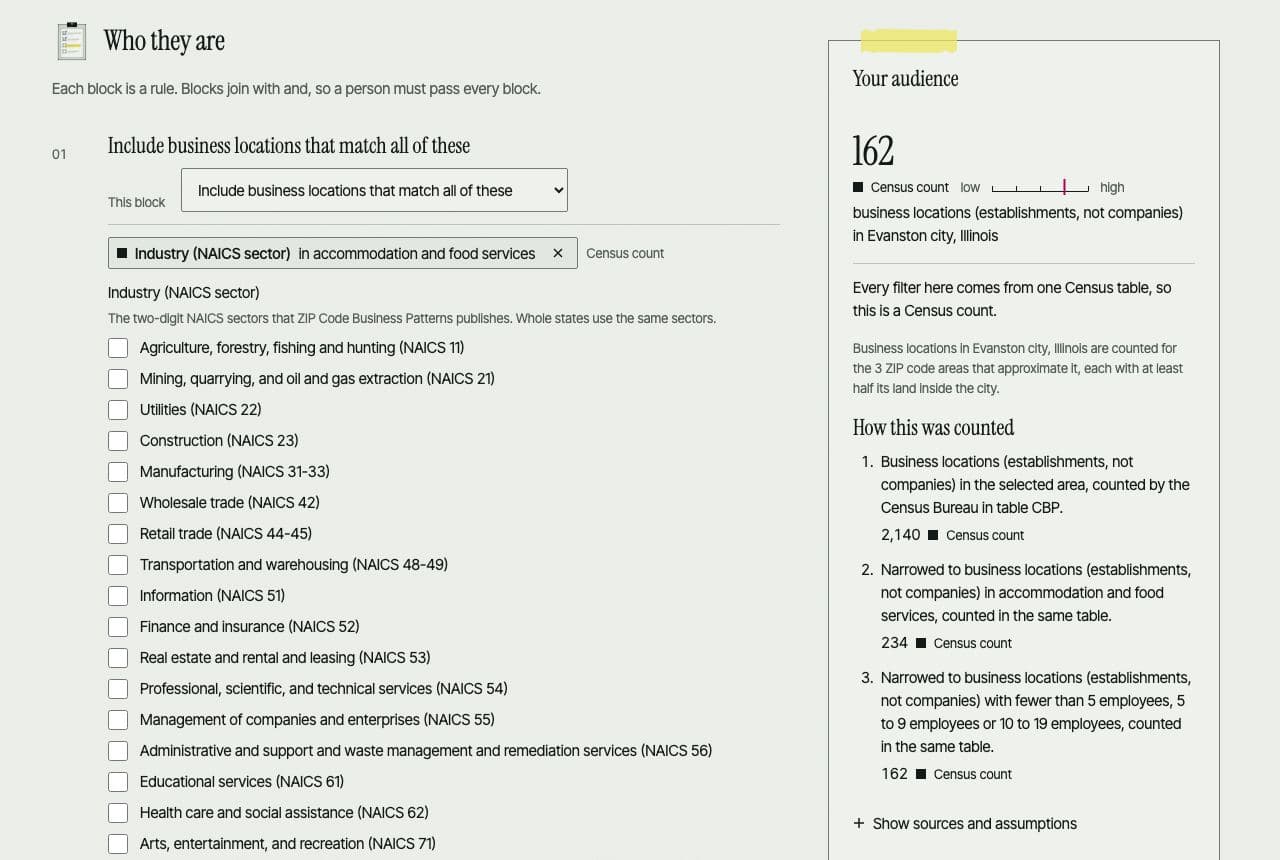
Pick filters such as place, age, sex, income, education, language, commute, job title, skill, and interests, combine them with all of, any of, or leave out, and see how many people match, or count business locations by industry and size. Every count says where it came from: a Census count, a BLS count, a combined estimate, a model estimate, or your own input.
- Counts only from public data loaded on this site (Census, BLS, and O*NET), with each release and its date shown
- Save audiences to your account, open any report audience in the builder, and export with an active trial
13Exports
Your report as a printable PDF, the tactics list as a CSV, and saved audiences as CSV, Excel, a printable page, and targeting spec sheets for Google Ads, Meta, and TikTok, plus a Google Ads Editor location file and Meta targeting JSON where those platforms document the format.
- Files are made in your browser, with each figure’s label and sources inside
- Customer-list templates are empty files: no customer contact data ever reaches uraudience
Sending an audience straight to an ad platform with one click is not built; the files are for you to upload yourself.
See it on your own business
The finder takes a few minutes and needs no account. Your answers are kept in this browser as you go. When you ask for your report, it is saved on our server at its own address, and creating an account keeps it for you.